
Step 1 Ready to test
Remove the pregnancy test stick from the foil pouch. See Figure 1. Before applying urine to the test, the test stick must be inserted into the monitor correctly.
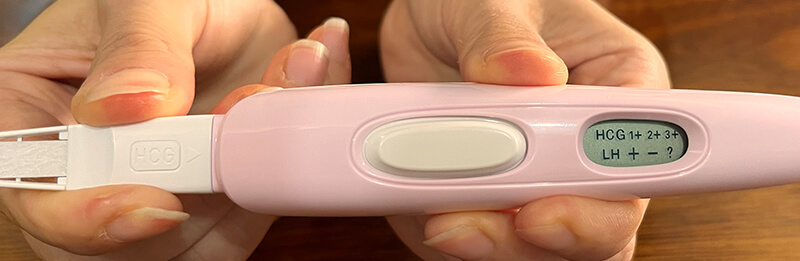
Insert the pregnancy test stick into the monitor until locked completely. Make sure HCG symbol facing up and is shown on the same side of LCD display. You will feel a slight “click”, in the mean while, all symbols “HCG 1+ 2+ 3+ LH + – ?” displayed a slight “click”, in the mean while, all symbols “HCG 1+ 2+ 3+ LH + – ?” displayed
Step 2 Perform Test
Step 1 Ready to test
Remove the test stick from the foil wrapper(see figure1).LH test stick is shown on figure 1 below. Use the test stick right away.Before applying urine to the test, the stick must be inserted into the Monitor correctly.

Step 2 Perform the test
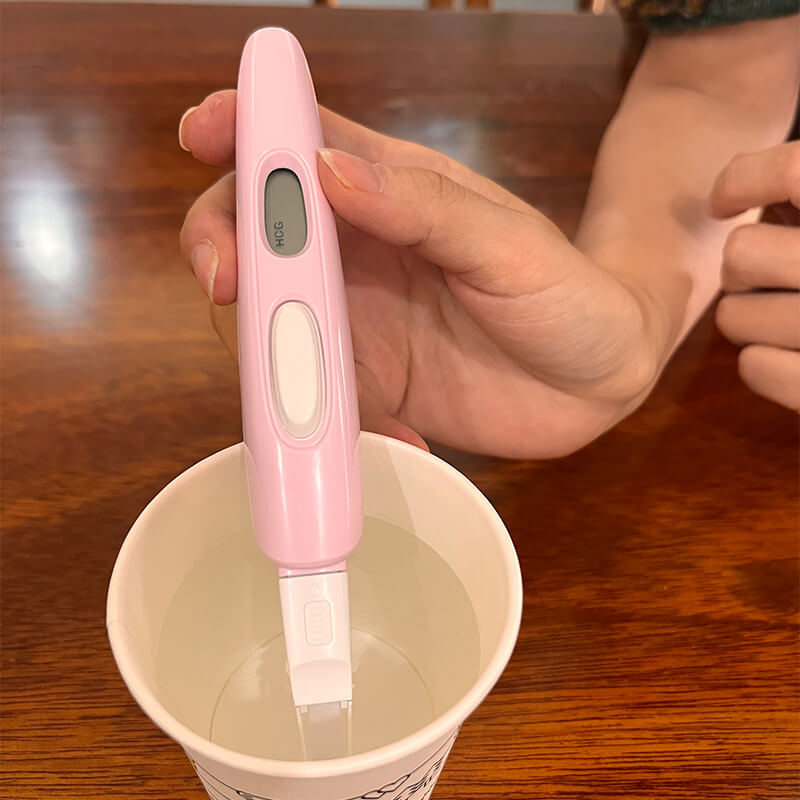
Do not absorb urine unless the steady “LH”symbol shows on the Display.Put just the absorbent tip into your collected urine for at least 20 seconds.
